
WITIM
Features

By business size

  • Small business
  • SMEs
  • Mid-market

By industry and role

  • Marketing
  • AI transformation
  • Designers
  • Lectures
  • Manufacturing
  • Distribution
  • Construction
  • Services
  • Finance
  • IT
  • Associations
  • Education
  • Healthcare
  • Real estate
  • Interior design
Pricing
DownloadBlog
Log inStart free
WITIM FEATURES

Everything your team needs, together.

Messaging, projects, mobile attendance and AI. Explore the tools your team uses every day.

Start for freeContact sales
EVERYDAY WORK, ALL TOGETHER

Everything your team needs, in one WITIM.

Explore the tools that connect conversations, people and AI.

22 tools for conversations, teamwork and everyday operations.

01 / 22

Messaging & announcements

Talk in channels and direct messages. Share company announcements and resources, with messages and files together.
Minji Kim5:45 PM

Sharing this week's launch drafts.The messaging builds on interviews.

Junho Lee5:47 PM

Looks great! Let's go with draft one.I'll send the product photos too.

Minji Kim5:49 PM

Got it. I'll work in the feedbackand have the final ready by 3 PM.

Junho Lee5:51 PM

Publishing on schedule once final. 🙌

Type a message...
BI≡〈/〉↗@☺

Projects

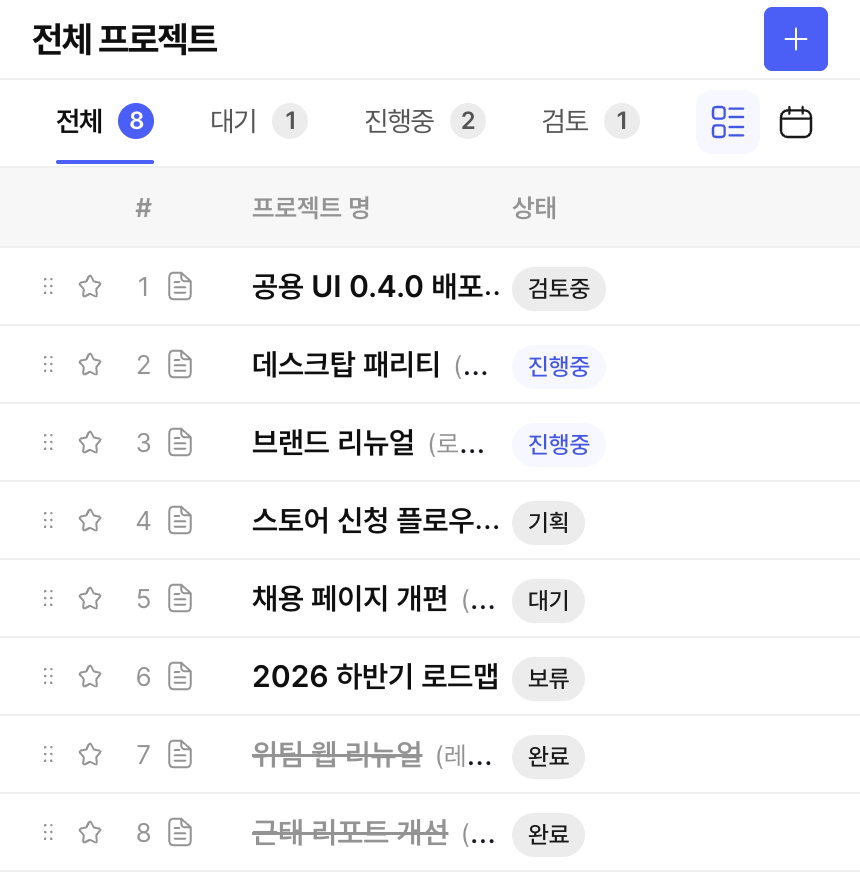
Bring your team, timeline, tasks and resources together in one project.

Read the guide
WITIM Projects screen (Korean interface). Bring your team, timeline, tasks and resources together in one project.

Tasks & kanban

Assign owners and deadlines, then track work in lists and kanban boards.

Read the guide
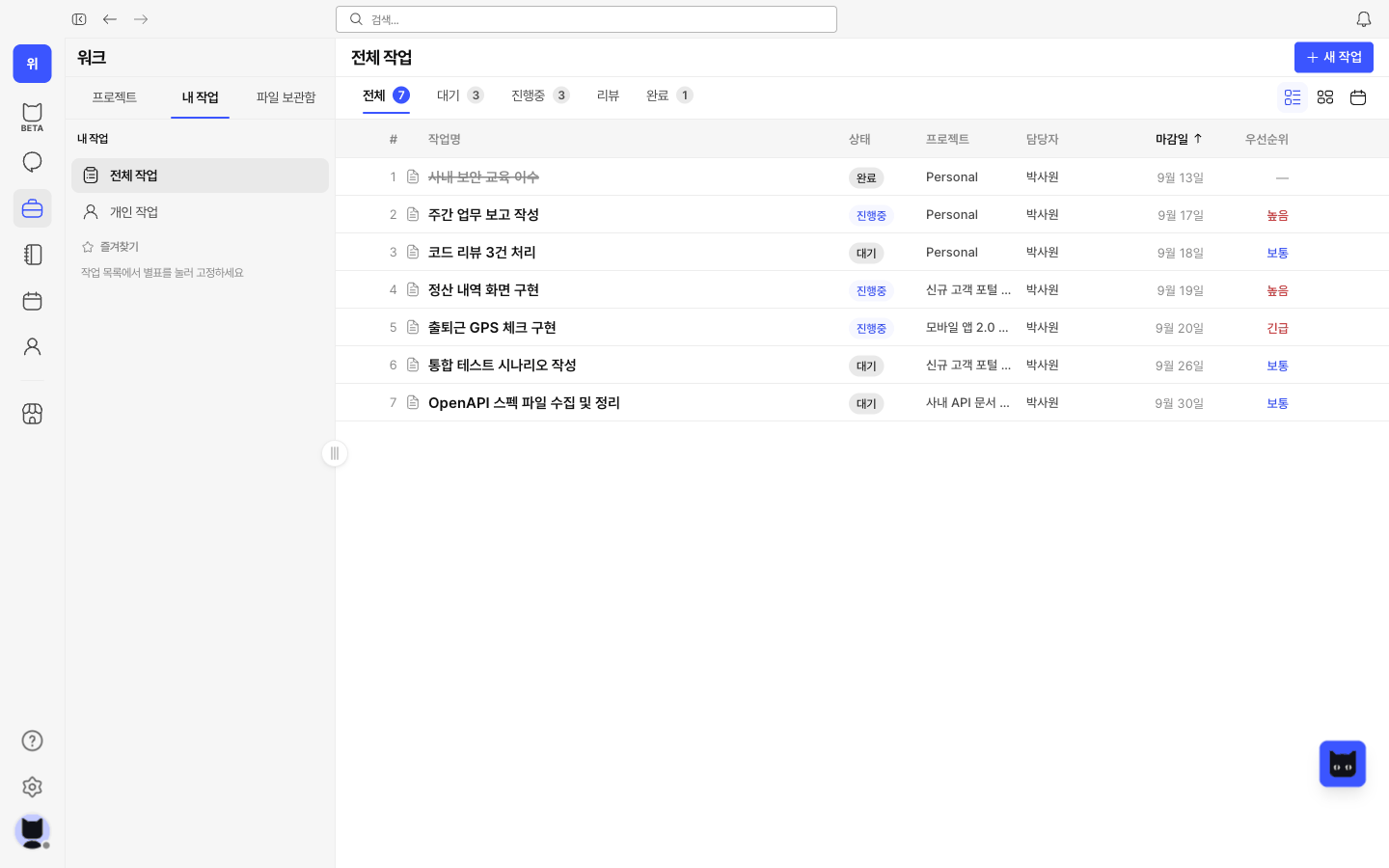
WITIM Tasks & kanban screen (Korean interface). Assign owners and deadlines, then track work in lists and kanban boards.

Notes & documents

Write meeting notes and working documents, and keep them connected to projects.
Notes
Aa
Sep 29, 10:30 AM

Brand launch kickoff

This week's goal

Shape the message in customers' words

Decisions

Turn real use cases into content

Next steps
  • Share interview notes
  • Review content drafts

Files

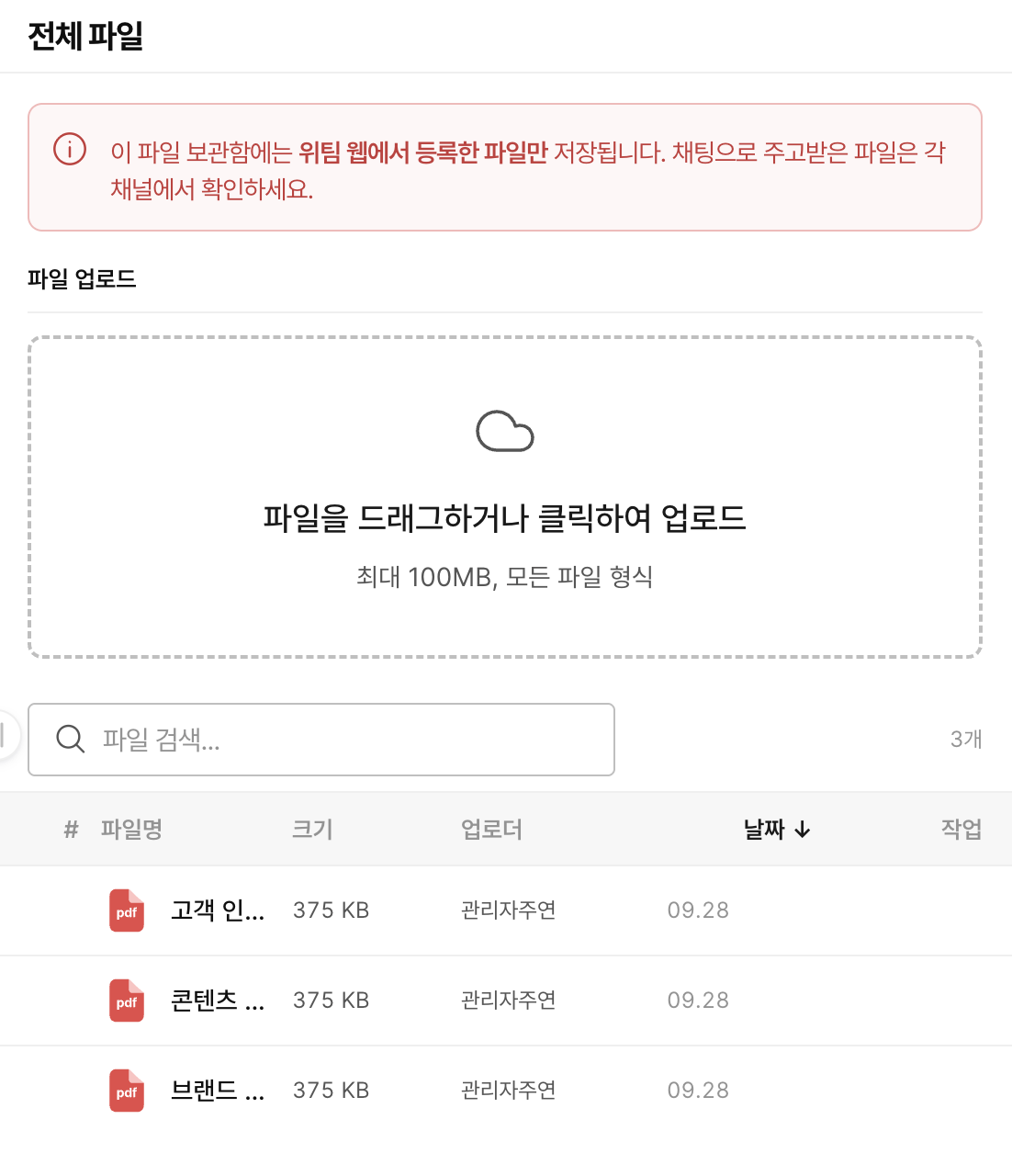
Find the files you need and organize resources by project.

Read the guide
WITIM Files screen (Korean interface). Find the files you need and organize resources by project.

Work schedules & calendar

Share work and team schedules, review leave and recurring events, and see everyone’s plans at a glance.

Read the guide
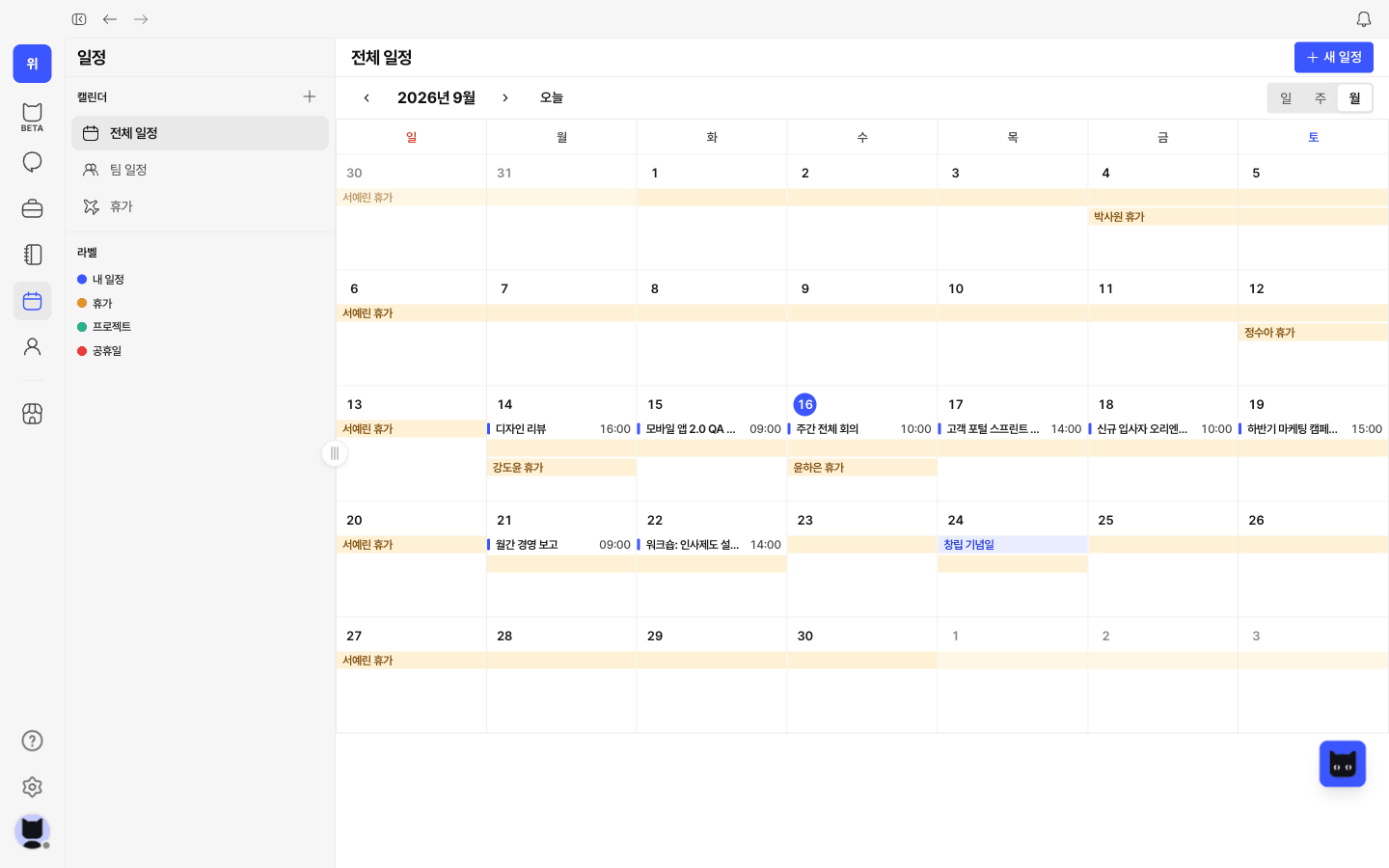
WITIM Work schedules & calendar screen (Korean interface). Share work and team schedules, review leave and recurring events, and see everyone’s plans at a glance.

Approvals

Review leave, attendance and work requests. Approve or return them and track each request from submission to completion.
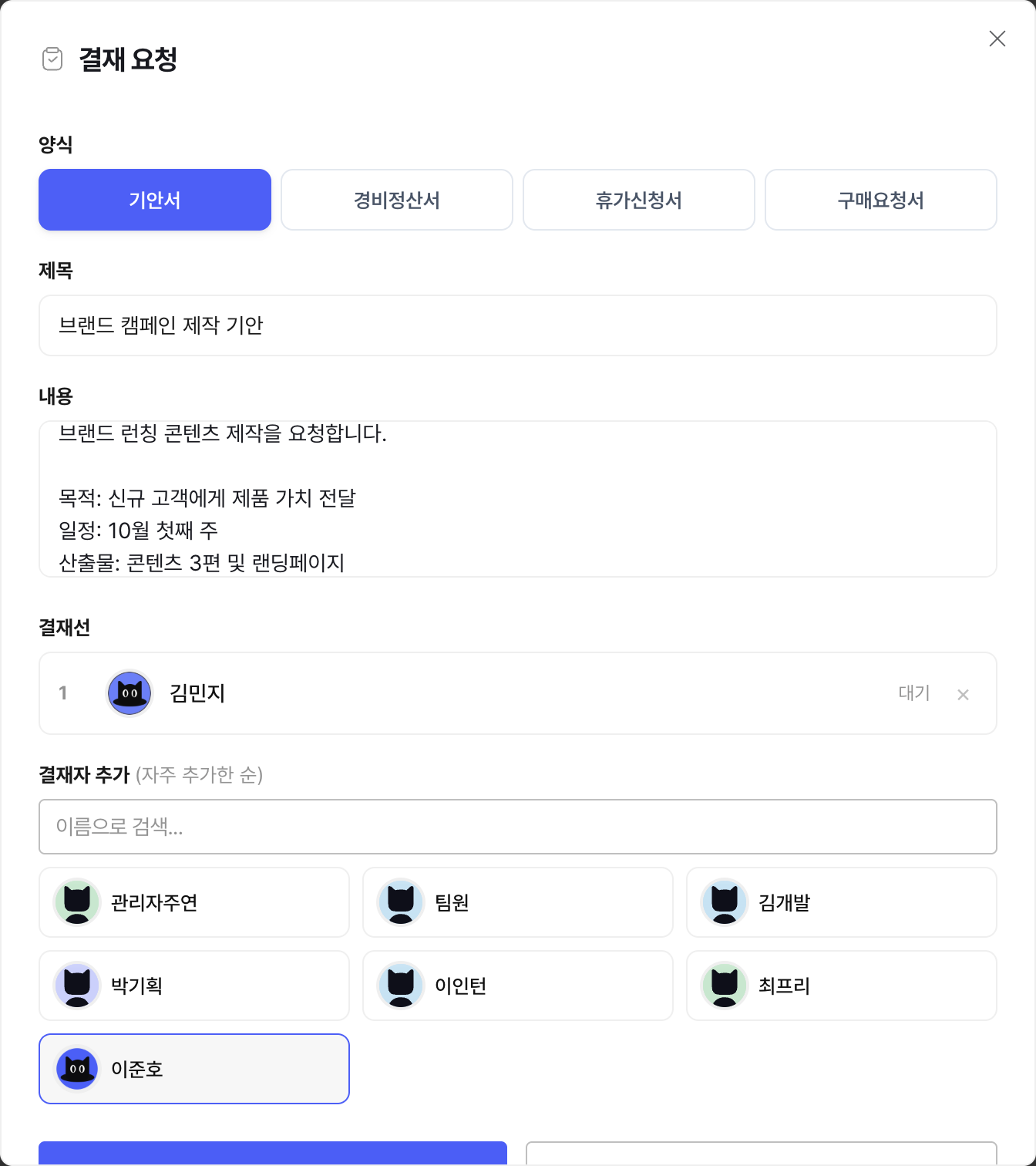
WITIM Approvals screen (Korean interface). Review leave, attendance and work requests. Approve or return them and track each request from submission to completion.

Attendance records

Record attendance on mobile and review office and remote work history. Managers can check team status and correction requests on the web.

Read the guide
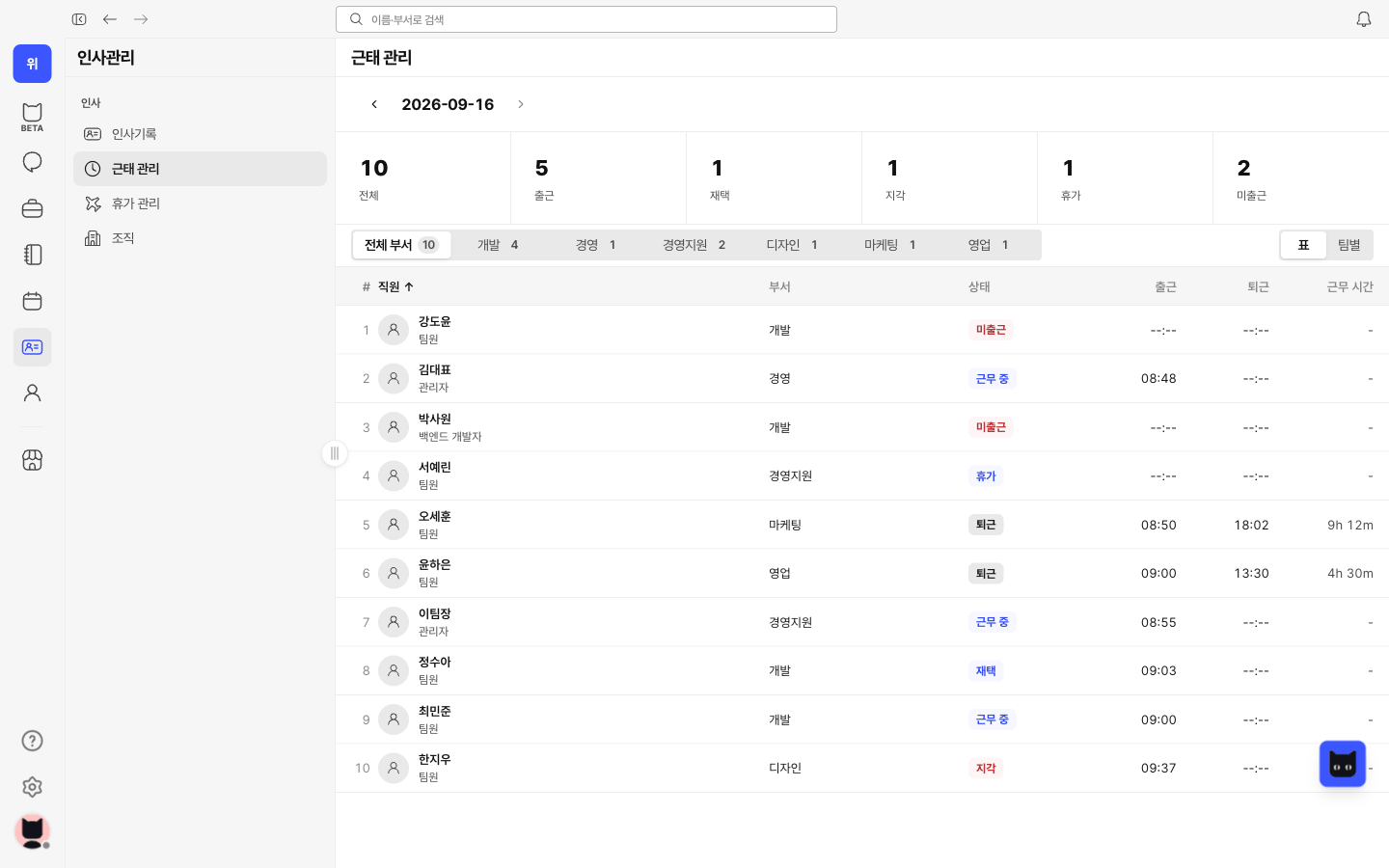
WITIM Attendance records screen (Korean interface). Record attendance on mobile and review office and remote work history. Managers can check team status and correction requests on the web.

Leave management

Check balances, request full or half days off, and track approvals and usage. See approved leave in the team calendar.

Read the guide
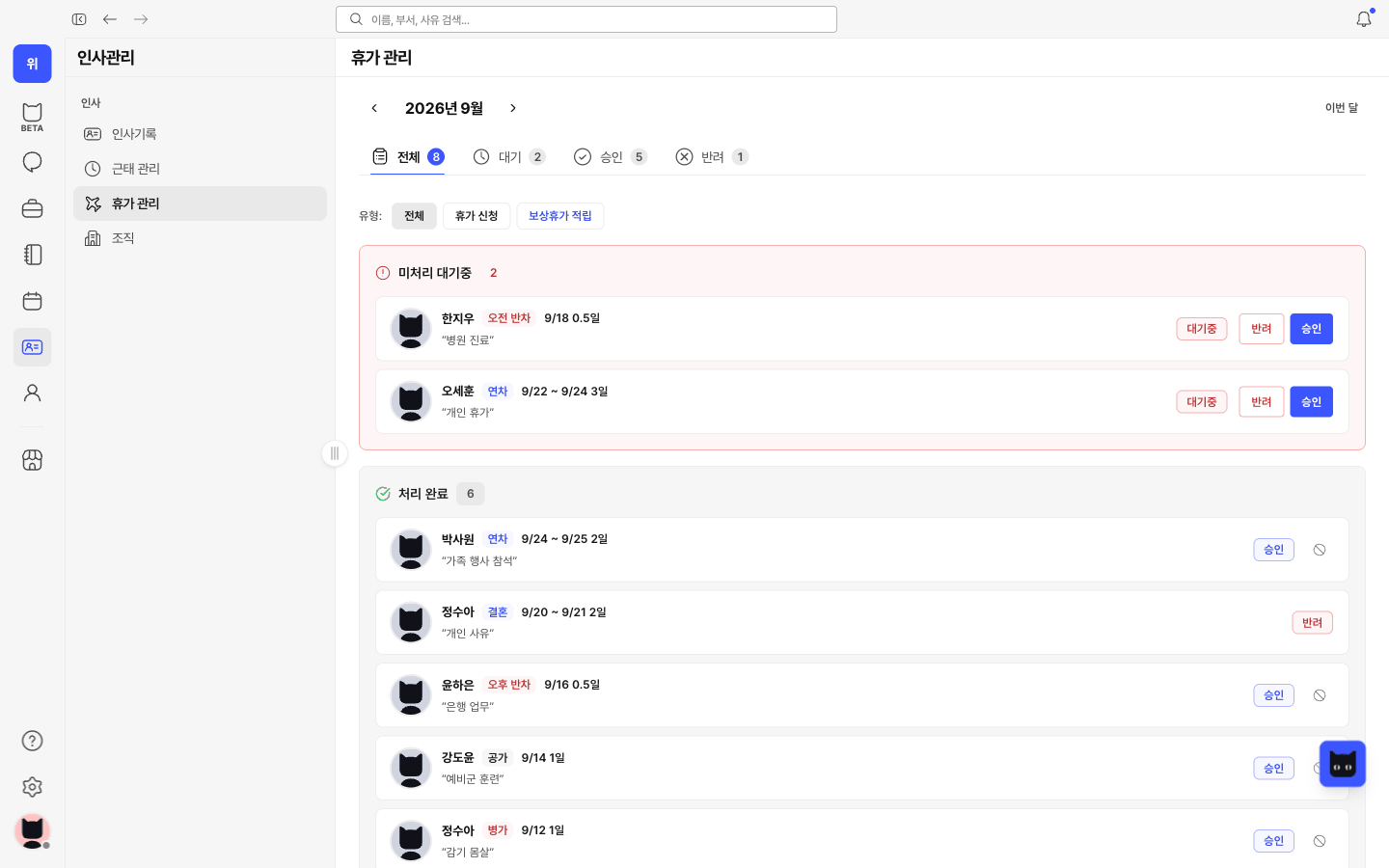
WITIM Leave management screen (Korean interface). Check balances, request full or half days off, and track approvals and usage. See approved leave in the team calendar.

Employee information

Keep employee details, departments and employment history together, alongside attendance and leave information.

Read the guide
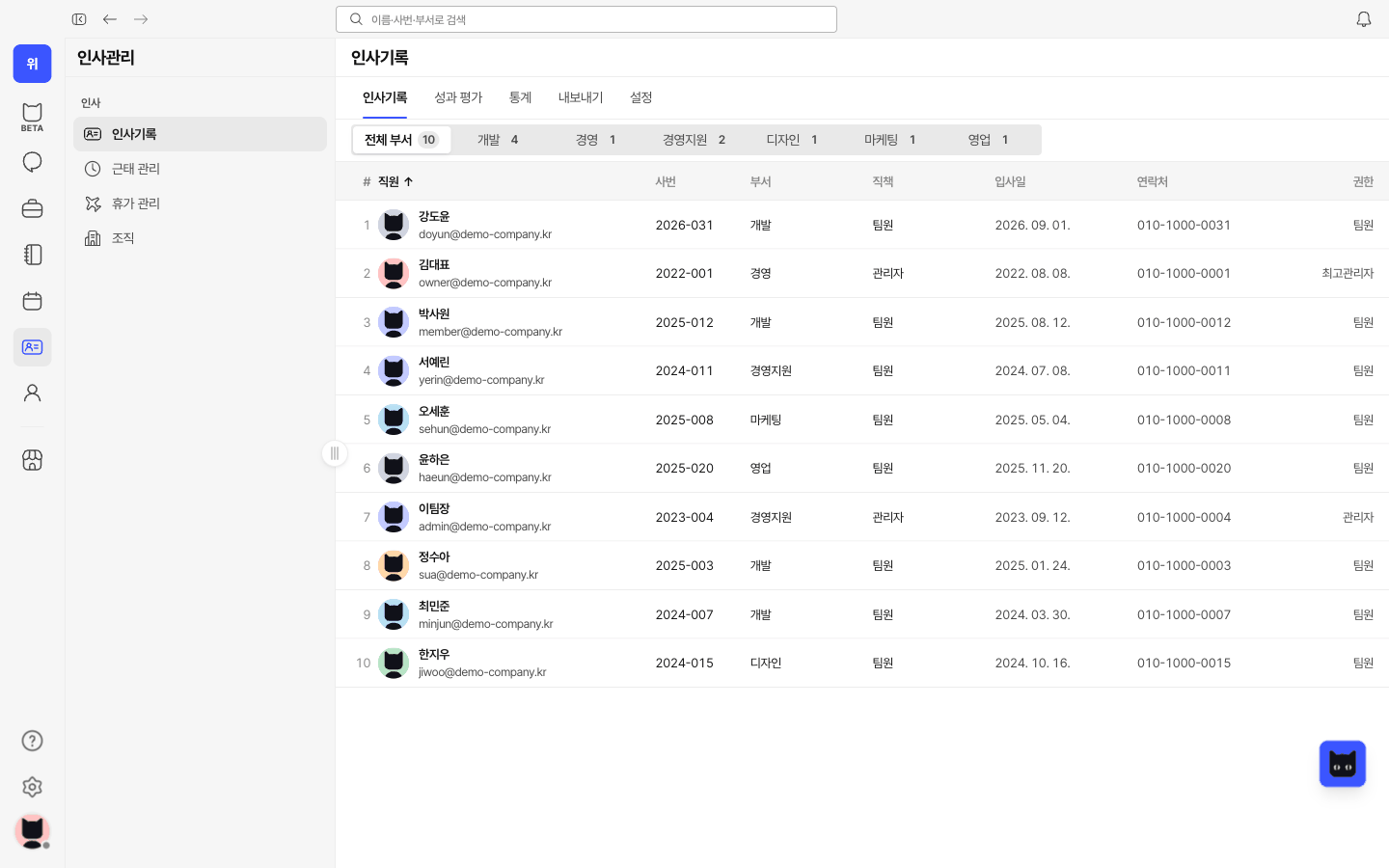
WITIM Employee information screen (Korean interface). Keep employee details, departments and employment history together, alongside attendance and leave information.

Attendance reports

Review working hours and attendance rates by period, and compare weekly hours across your team in one place.

Read the guide
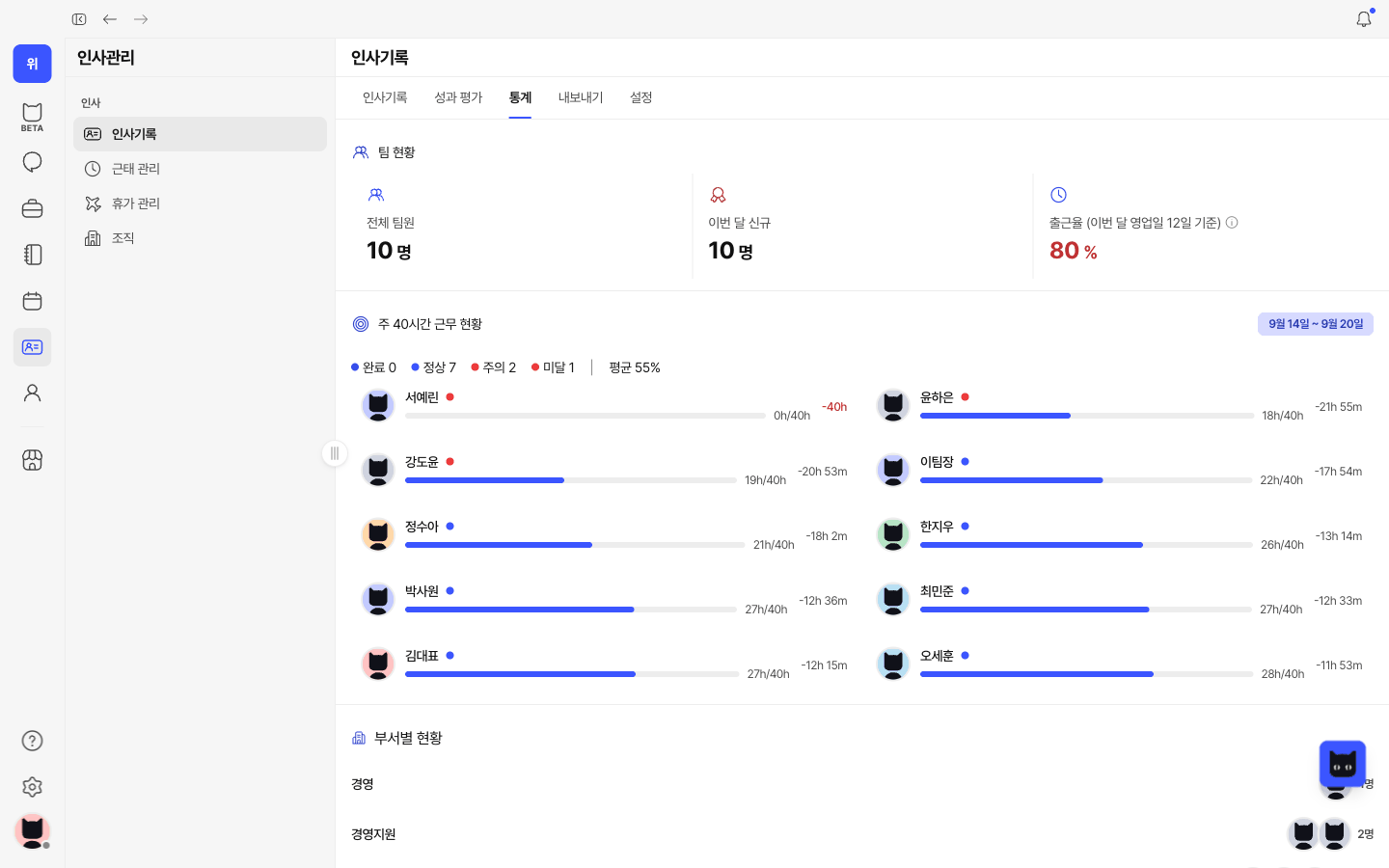
WITIM Attendance reports screen (Korean interface). Review working hours and attendance rates by period, and compare weekly hours across your team in one place.

Organization

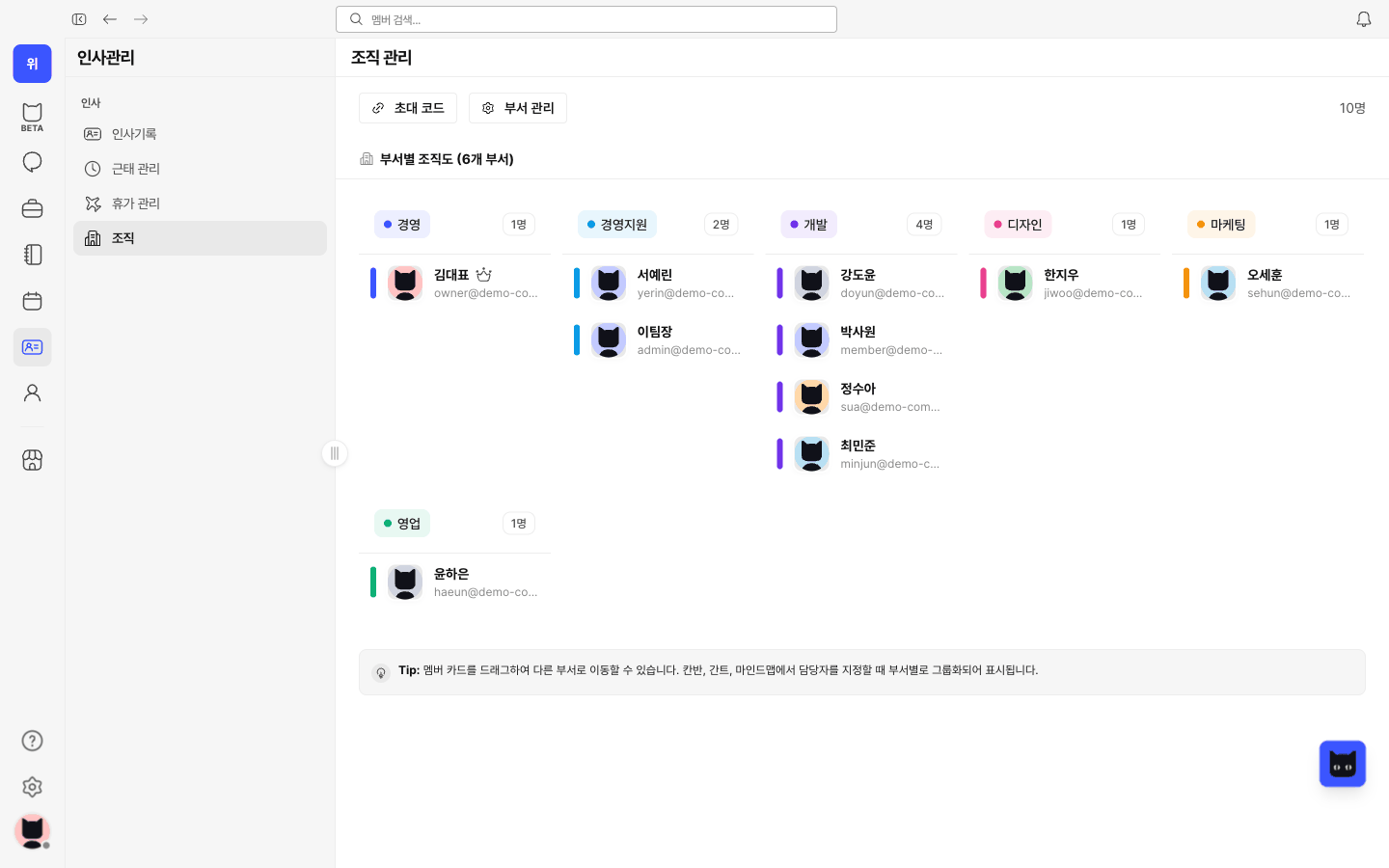
Manage departments and members with a clear view of your organization.

Read the guide
WITIM Organization screen (Korean interface). Manage departments and members with a clear view of your organization.

My page

Check your work status and records, request leave and submit attendance corrections.

Read the guide
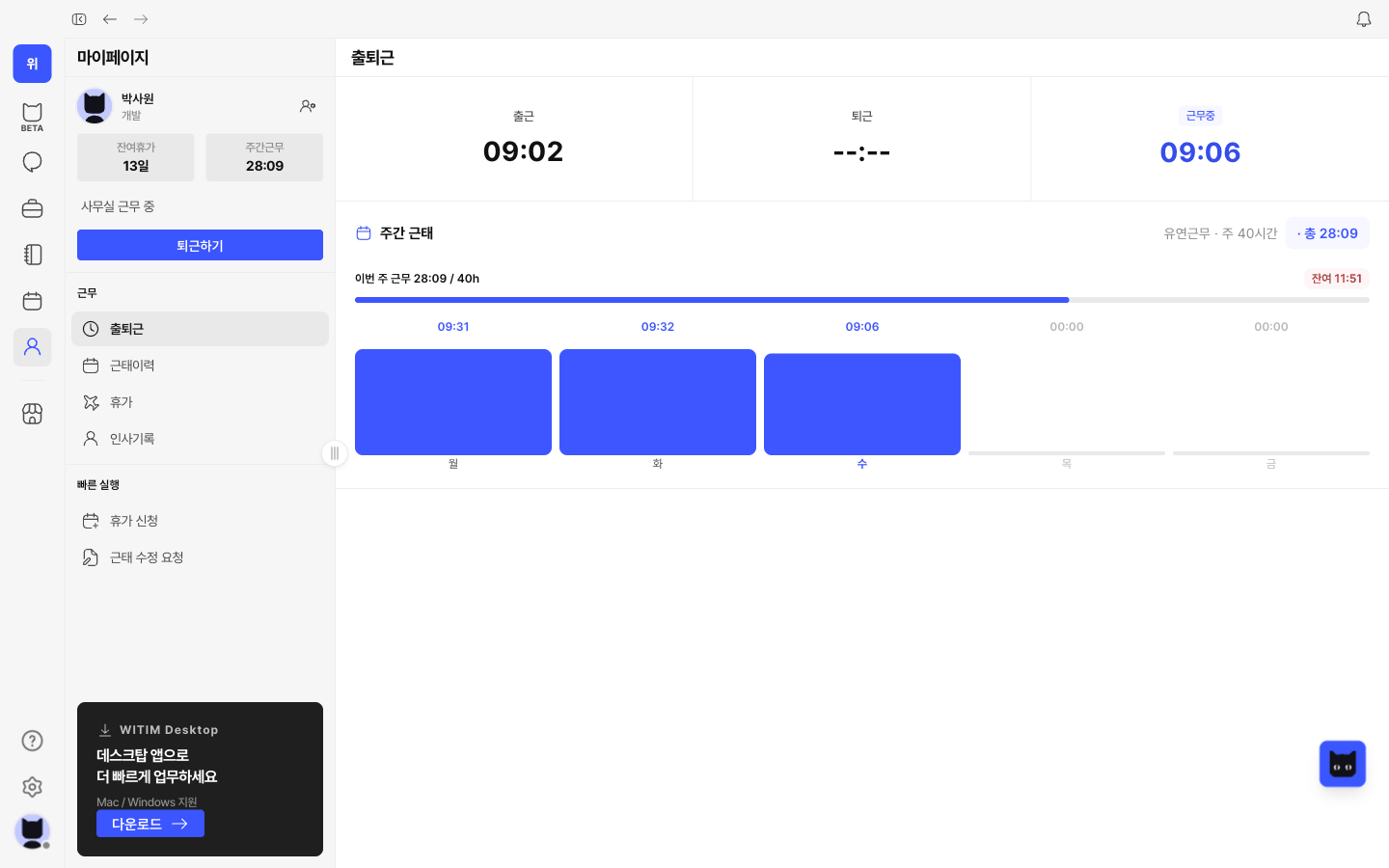
WITIM My page screen (Korean interface). Check your work status and records, request leave and submit attendance corrections.

Contracts

Register contracts and keep counterparties, amounts and status in one place.
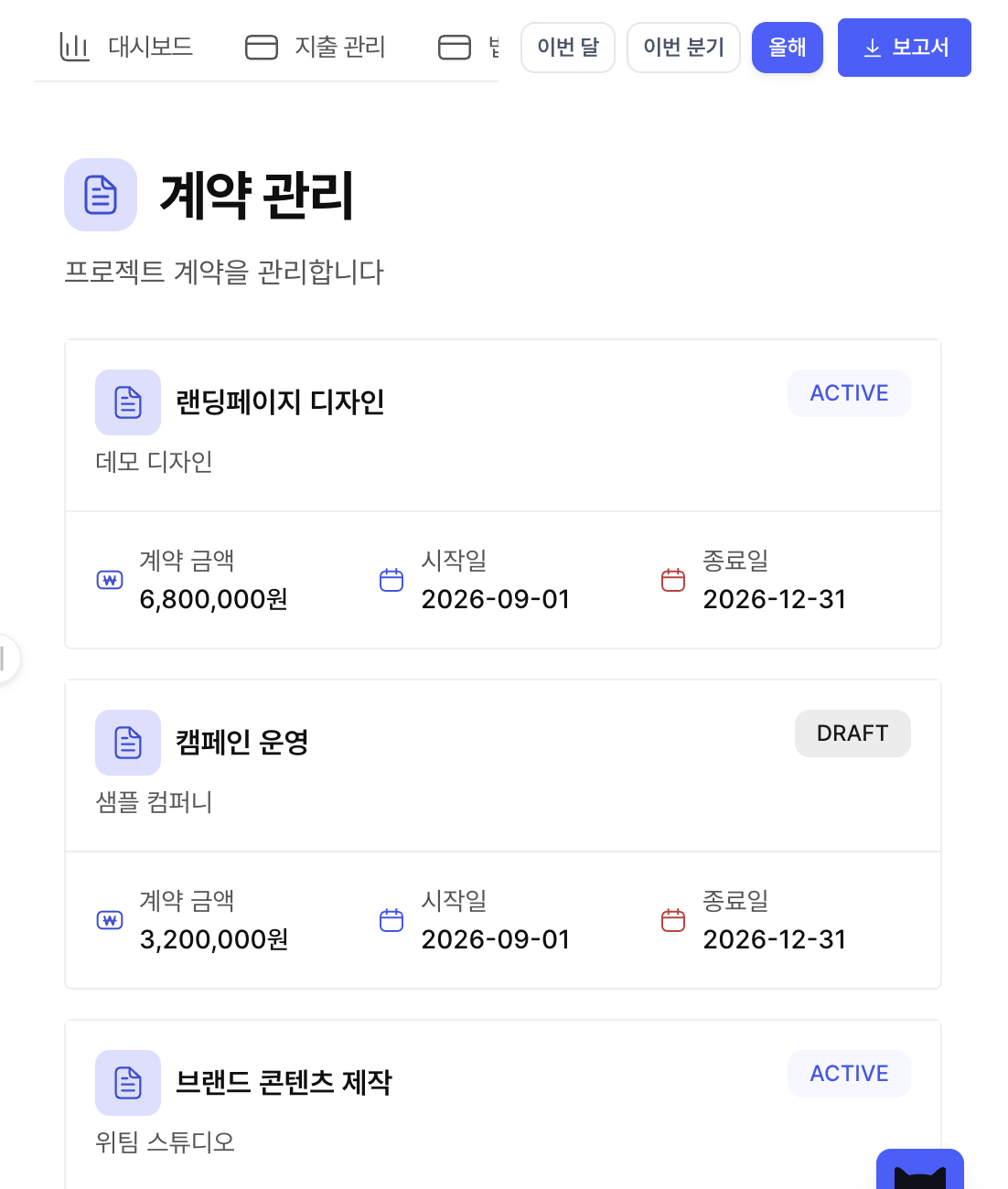
WITIM Contracts screen (Korean interface). Register contracts and keep counterparties, amounts and status in one place.

AI TIMI

Ask in a conversation and work with AI TIMI on documents, research and next steps.

BETA

Hi, I'm AI TIMI

Ask anything,
make anything

Ask AI TIMI to help with your work
Enter to send · Shift+Enter for a new line
Recent briefings
Today's briefing
Meeting notes
Create a document
Organize my tasks
Team schedule

Routines

Set recurring requests and schedules, then follow their execution history.
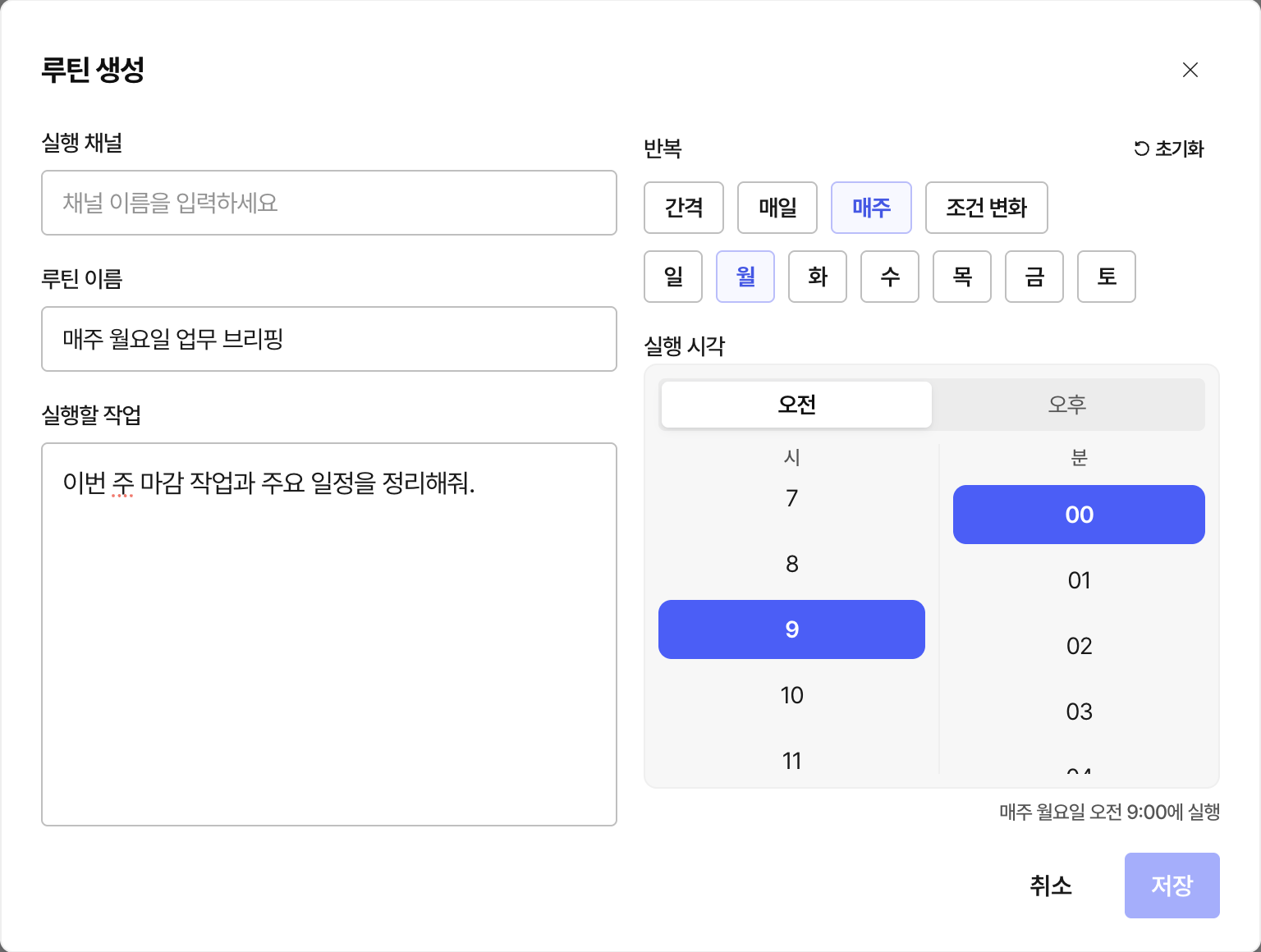
WITIM Routines screen (Korean interface). Set recurring requests and schedules, then follow their execution history.

Automation store

Explore automation programs for content operations and check their availability.
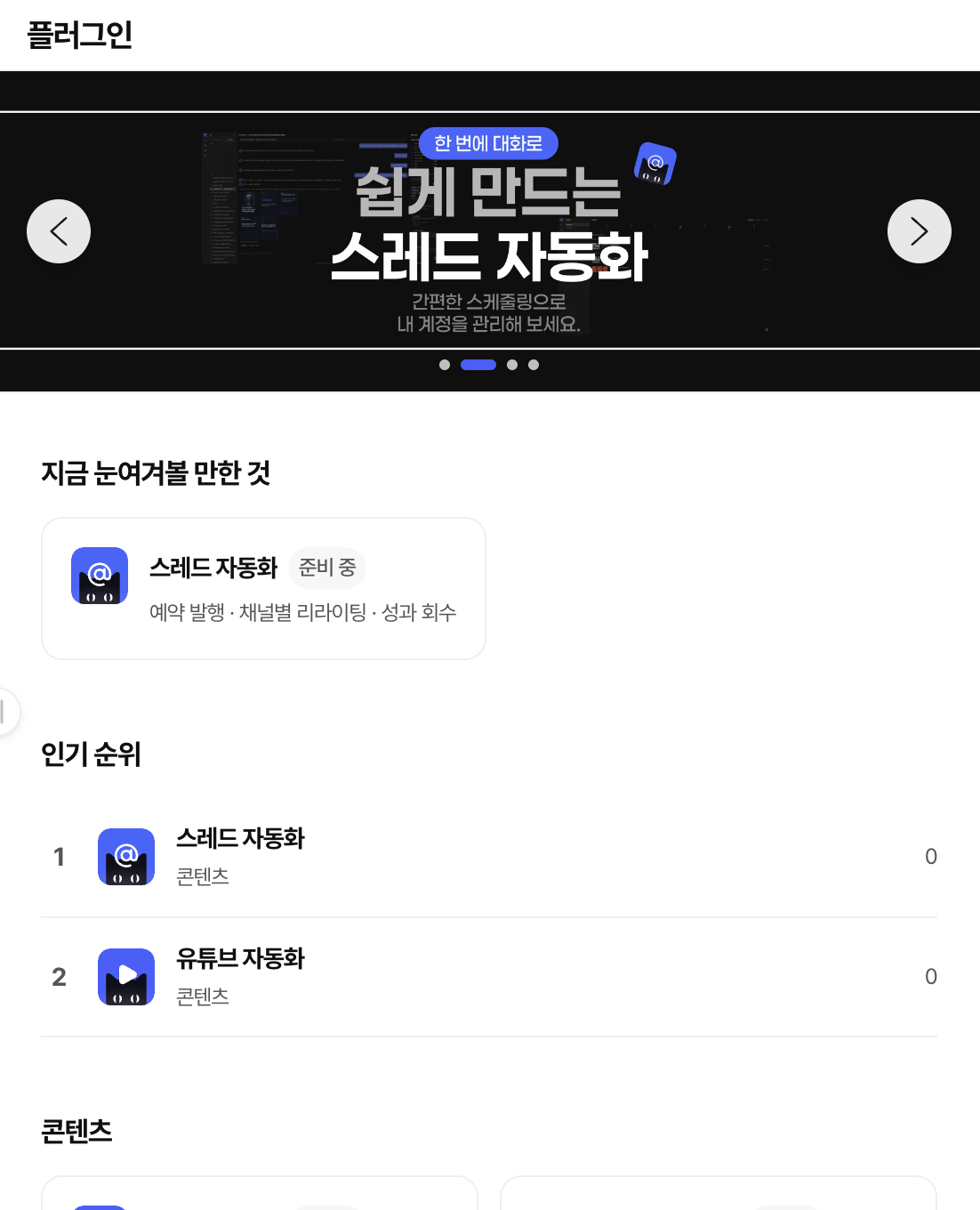
WITIM Automation store screen (Korean interface). Explore automation programs for content operations and check their availability.
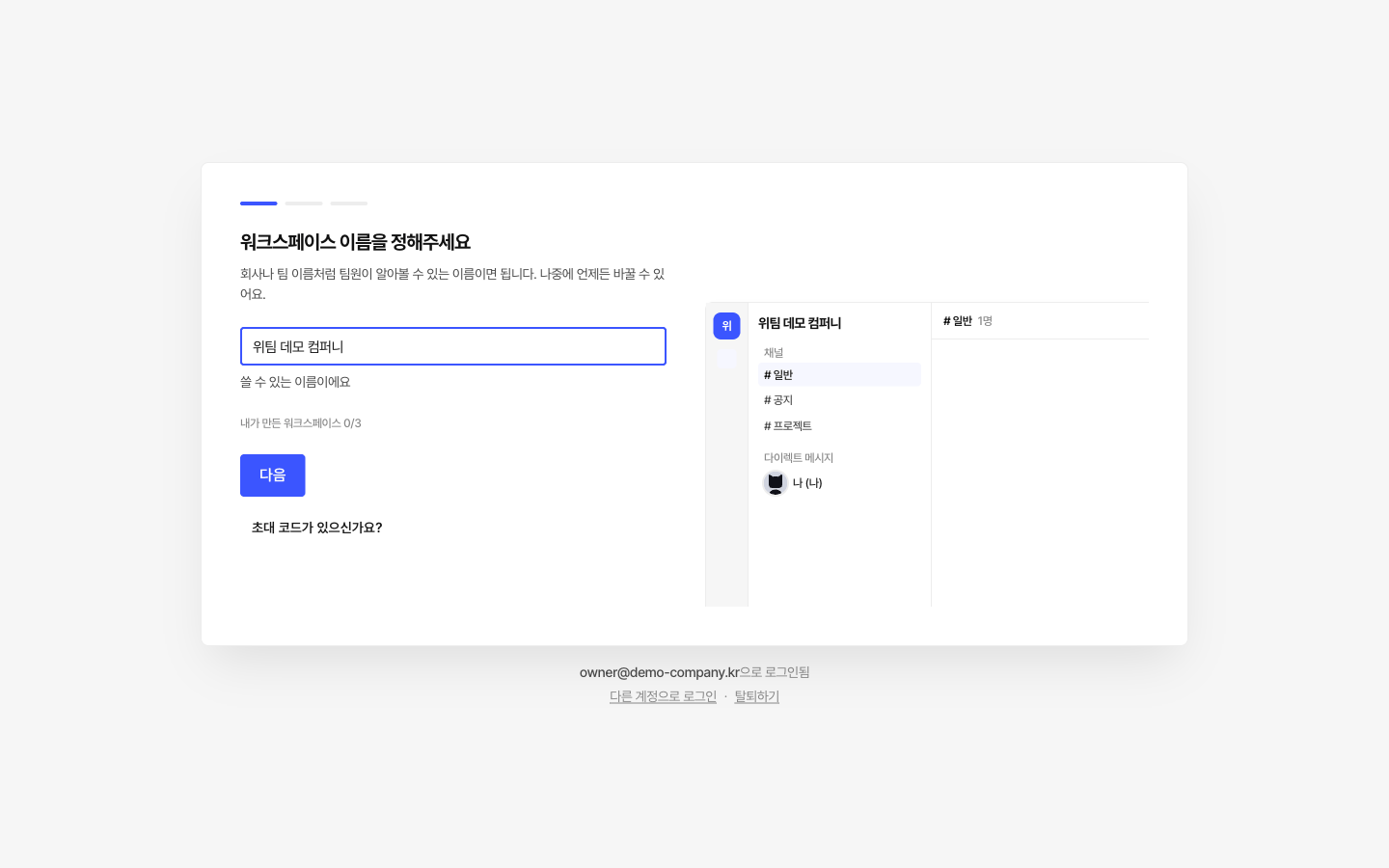
Team workspace

Create a workspace for your team, with its own name and information.

Read the guide
WITIM Team workspace screen (Korean interface). Create a workspace for your team, with its own name and information.

Invite teammates

Share an invite code or link to bring teammates into the same workspace.

Read the guide
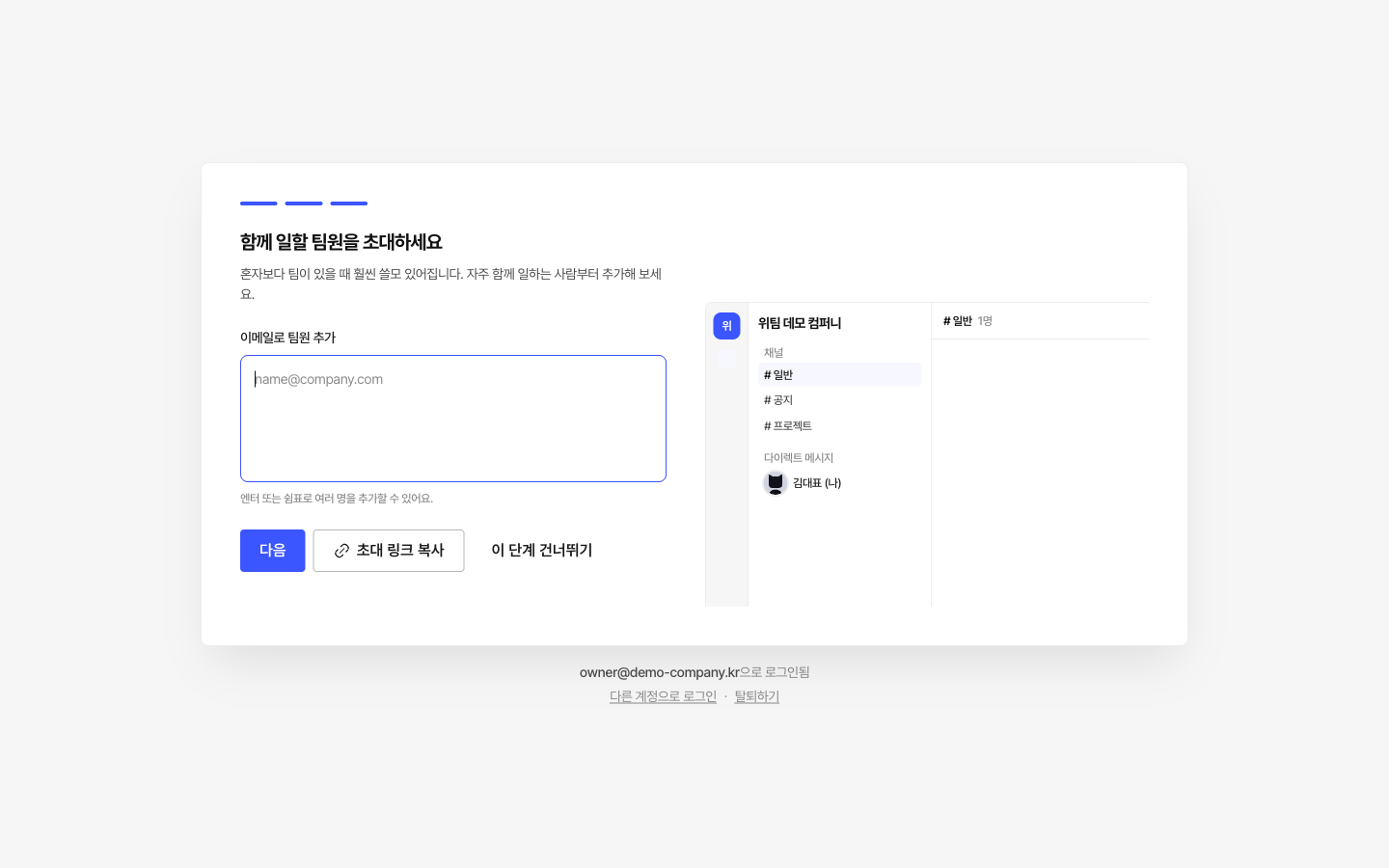
WITIM Invite teammates screen (Korean interface). Share an invite code or link to bring teammates into the same workspace.

Features & permissions

Choose member roles and access levels, and configure the features your team needs.

Read the guide
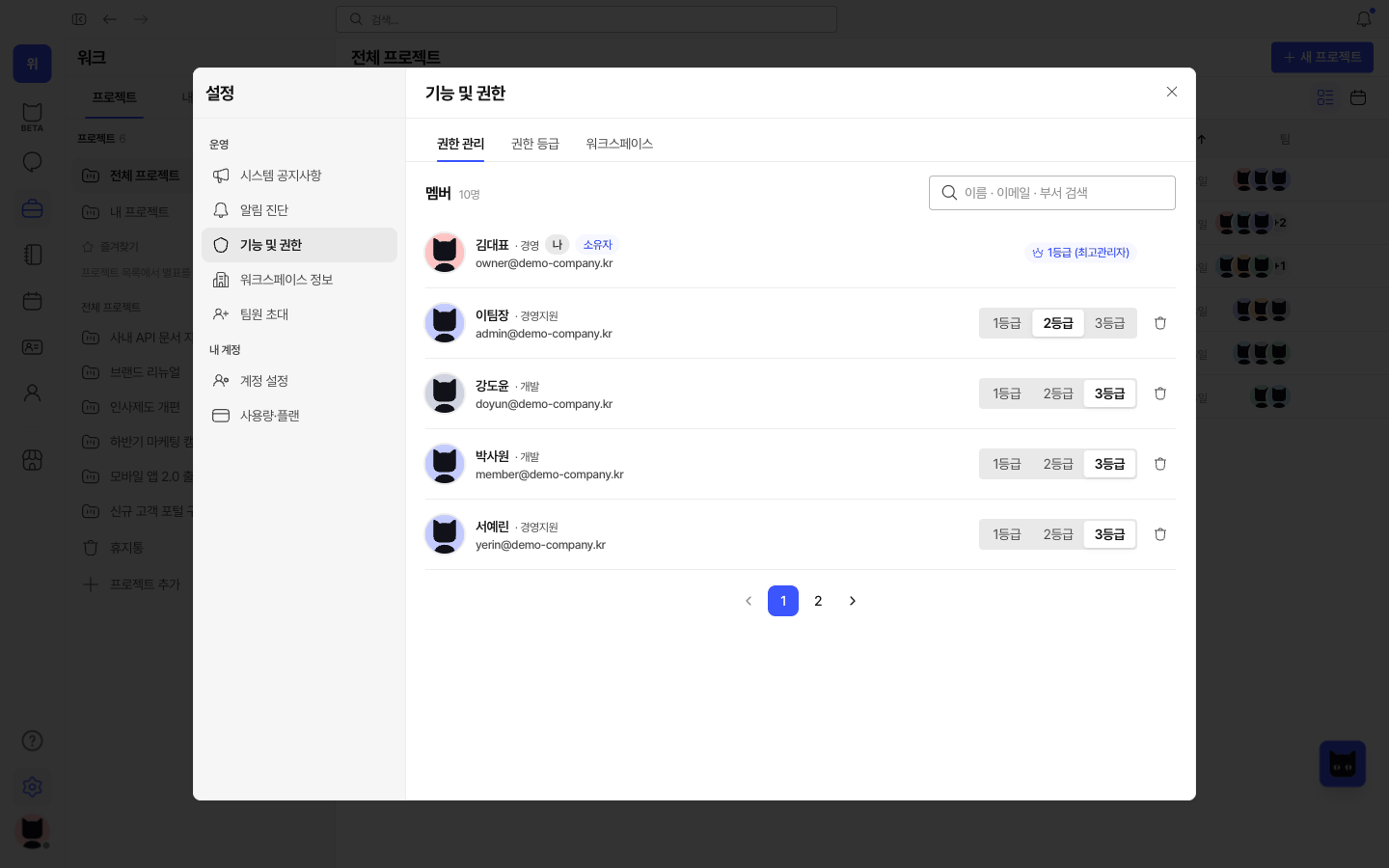
WITIM Features & permissions screen (Korean interface). Choose member roles and access levels, and configure the features your team needs.

Company details

Keep company details, contacts and account information organized for operations.

Read the guide
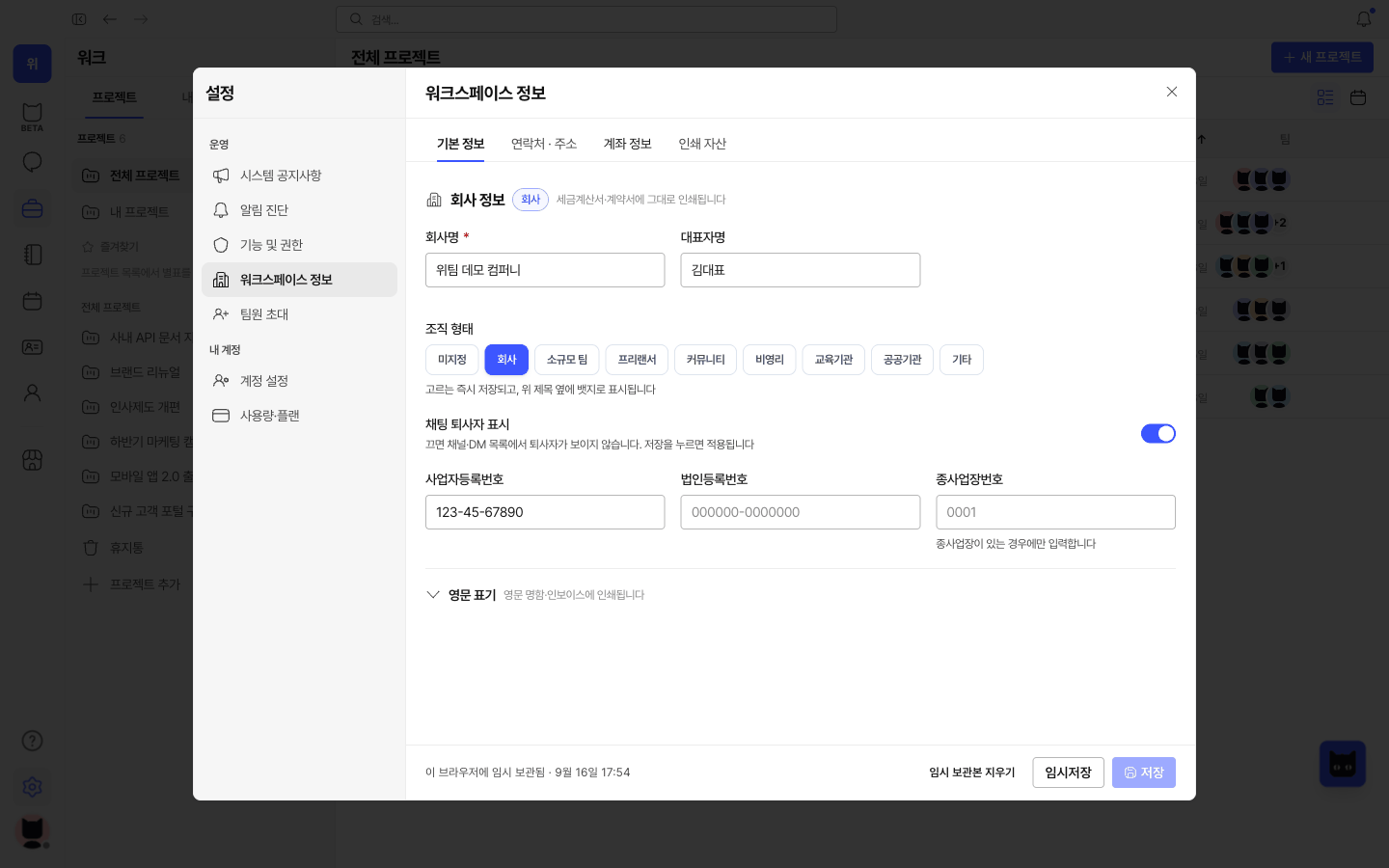
WITIM Company details screen (Korean interface). Keep company details, contacts and account information organized for operations.

Notifications

Catch up on notifications and return to the conversations and work that need you.
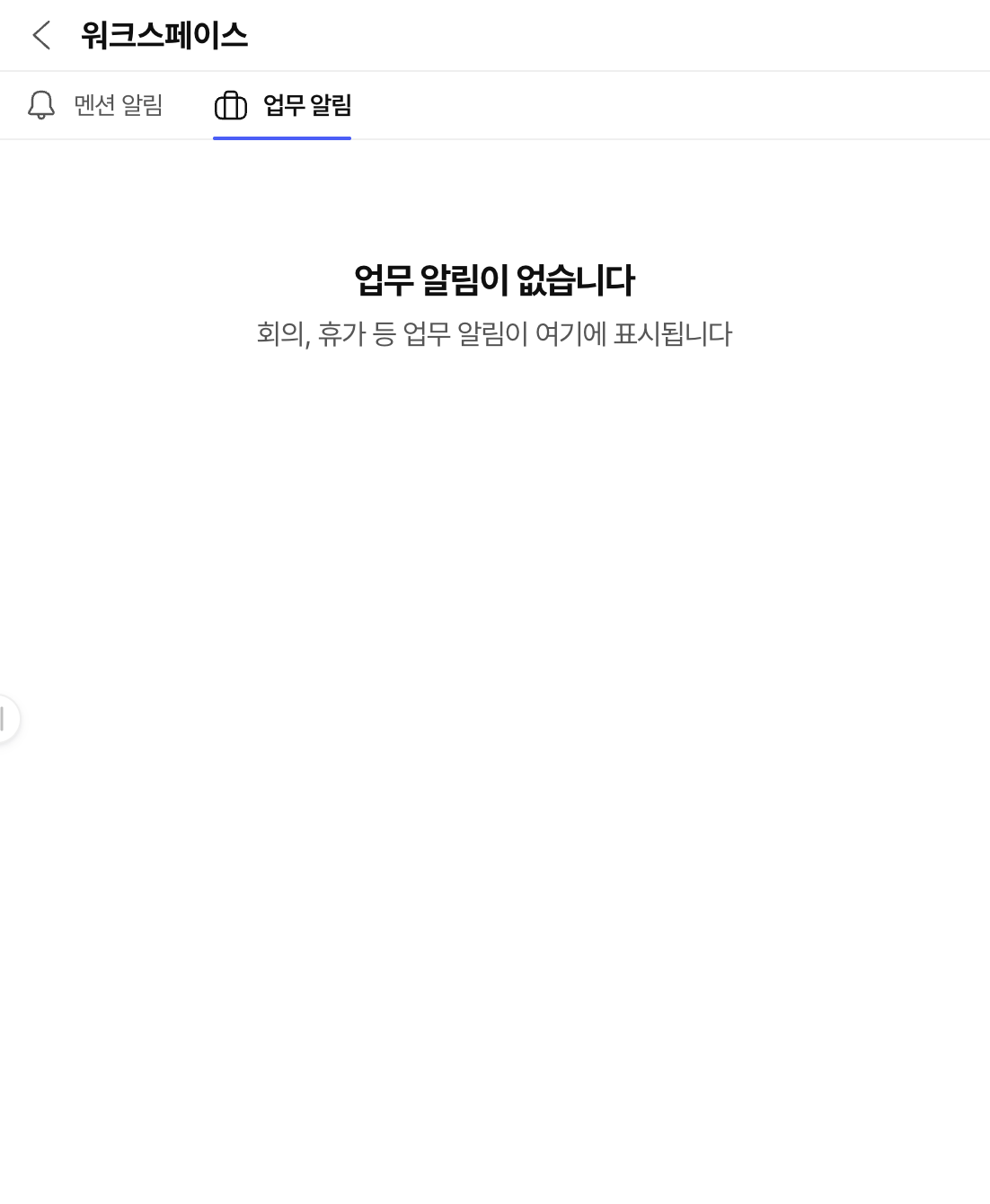
WITIM Notifications screen (Korean interface). Catch up on notifications and return to the conversations and work that need you.
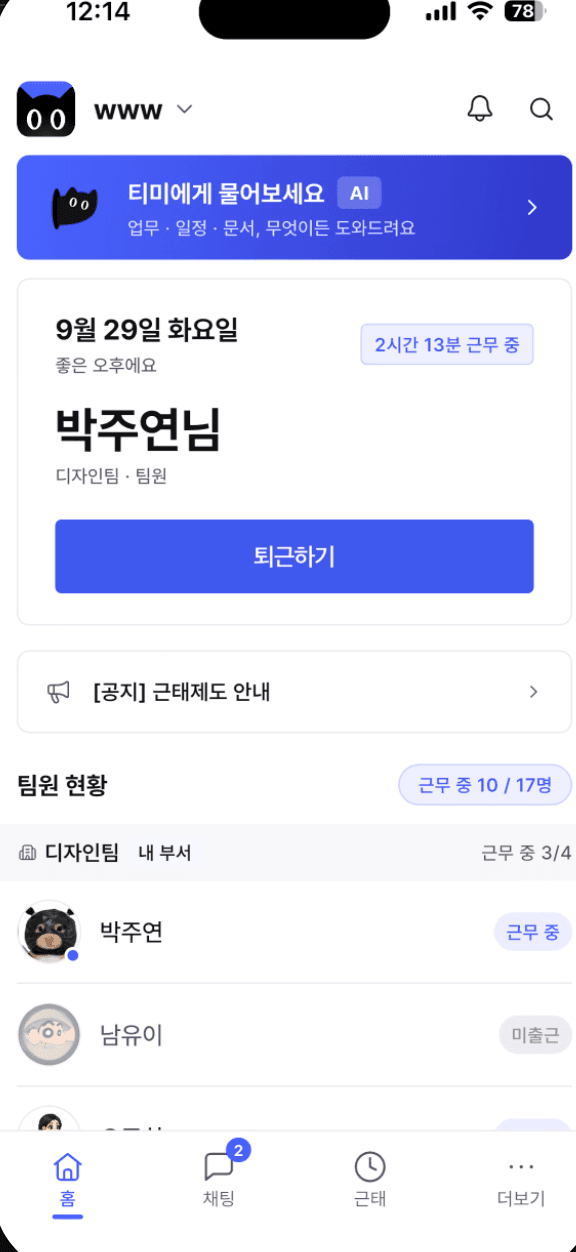
MOBILE ATTENDANCE

Attendance and work records, right on your phone

Mobile check-in

Record check-in and check-out, and see your current work status.

Your work history

Review weekly working hours and recent attendance records.

Team attendance

Managers can review team attendance and correction requests on the web.
WITIM · People
Team attendance
Working12
On leave2
KAlex Kim09:0018:00
LJamie Lee08:50—
PRobin Park09:00—
WITIM mobile home with attendance controls and team status (Korean interface)

Find the way WITIM fits your team

Explore workflows for your business size and industry.

By business size

  • Small business
  • SMEs
  • Mid-market

By industry and role

  • Marketing
  • AI transformation
  • Designers
  • Lectures
  • Manufacturing
  • Distribution
  • Construction
  • Services
  • Finance
  • IT
  • Associations
  • Education
  • Healthcare
  • Real estate
  • Interior design

Start working together with WITIM.

Start for free ↗Contact sales
WITIM

The AI work-agent platform that connects people, AI, and services in one conversation.

KOEN
Product
  • Overview
  • Pricing
  • Blog
  • Use cases
  • Update notes
  • Download
Support
  • User guide
  • Contact us
  • Partnerships
  • Security
Company 3W Inc.|Business Reg. No. 858-87-03784|CEO Inhoe Hwang|28 Seonyuseo-ro 25-gil, Yeongdeungpo-gu, Seoul, Korea|support@witim.net|1551-3280

Mail-Order Sales Reg. No. 2026-Seoul Yeongdeungpo-1034

© 2026 3W Inc. All rights reserved.

TermsPrivacy
How can we help?Contact sales